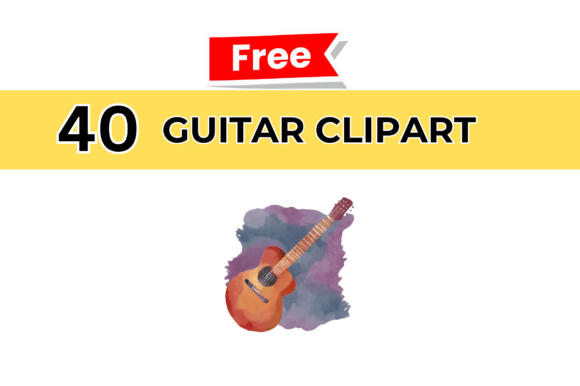
Guitar Cliparts for Creative Projects
Whether you are designing a music-themed poster, building a social media campaign, or crafting educational materials, high-quality visuals make the difference between something that works and something that merely exists. Guitar Cliparts offers a collection of 40 distinct PNG graphics, each sized at 2000x2000 pixels and available for instant download. The set is built for versatility, not just decoration. Every element in this pack has been designed so that you can drop it into almost any project without worrying about resolution, background blending, or awkward proportions.
What sets this pack apart is the combination of volume and variety. With forty unique cliparts, you are not stuck repeating the same silhouette across different pieces. You get enough range to build entire visual identities around the guitar theme, yet each graphic retains enough specificity to feel intentional rather than generic. The PNG format means you can layer these elements over photographs, textured backgrounds, brand colours, or typography without the hassle of masking or cutting out edges.
What Makes These Guitar Cliparts Different
The most obvious practical advantage is the resolution. At 2000x2000 pixels, each clipart holds up well across both digital and print applications. You can use them at full size for hero visuals or scale them down for icons, thumbnails, or accent details without losing sharpness. This flexibility matters especially when you are working across multiple platforms or deliverables within a single project.
Because the files arrive in PNG format, transparency is built in from the start. That means no white boxes, no awkward backgrounds, and no extra editing steps before you can place them into a layout. For designers and non-designers alike, this reduces friction significantly. You spend less time prepping assets and more time building the actual piece.
The total of 40 cliparts also means you have room to experiment. Some designs can anchor the main composition while others support as secondary elements. You can rotate, flip, scale, or recolor them depending on your software and workflow. This variety keeps your projects from looking repetitive, even when you are working on a series of related materials over time.
Practical Applications Across Different Audiences
One of the strengths of this pack is that it serves a wide range of users without forcing anyone to adapt their workflow. The following approaches show how different professionals can integrate these cliparts into real projects.
Graphic Designers and Visual Creators
If you are a designer, you already know the value of having reliable, high-resolution assets ready to go. Guitar Cliparts can become the foundation for album covers, event flyers, merchandise mockups, or website hero sections. Because the set includes multiple designs, you can create visual hierarchies within a single composition. Use one large clipart as the focal point and smaller variations as repeating motifs or background textures. The PNG transparency also makes it easy to experiment with duotone effects, gradient overlays, or masking techniques without damaging the original file.
Content Creators and Social Media Managers
Consistency across posts matters for audience recognition. With forty unique guitar cliparts, you can rotate visuals across weeks of content without repeating yourself. A music lesson account could use different cliparts to announce new topics each week. A podcast about songwriting could pair each episode quote with a distinct guitar graphic. The 2000x2000 resolution means these graphics also work well for YouTube thumbnails, Instagram stories, and Pinterest pins where clarity and visual impact are essential.
Small Business Owners and Entrepreneurs
If you run a music school, instrument repair shop, or recording studio, your marketing materials need to communicate what you do immediately. Guitar Cliparts can be used for business cards, flyers, signage, or website banners. Because the pack is instant download, you can create promotional materials the same day you need them. There is no waiting for custom illustrations or paying per asset. The variety also allows you to tailor visuals to different seasons, promotions, or target audiences without commissioning new artwork each time.
Educators and Workshop Facilitators
Teaching materials benefit from clear, recognisable visuals. Guitar Cliparts can be used in worksheets, presentation slides, lesson plans, or digital handouts. A teacher explaining chord structures could place a clipart beside a diagram to reinforce the instrument visually. A workshop facilitator promoting a beginner guitar class could use different cliparts for each session announcement. The high resolution ensures these graphics remain crisp when projected onto a screen or printed on A4 handouts.
Hobbyists and DIY Creators
Not everyone uses cliparts for professional deliverables. Hobbyists working on scrapbooks, personal blogs, party invitations, or custom merchandise for friends and family will find these graphics easy to adapt. Because the pack is PNG and high resolution, you can print them on stickers, iron-on transfers, or cards without worrying about pixelation. The instant download also means you can start a weekend project on Saturday morning without waiting for delivery or approvals.
How to Keep Your Projects Organized and Consistent
Having forty cliparts at your disposal is useful, but keeping them organised saves you time in the long run. Start by renaming files based on style, orientation, or intended use before you begin a project. If you are working across multiple platforms, keep a master folder with the original PNGs and create subfolders for each project. This way, you always have the original assets untouched while you experiment with edits, colour changes, or cropping.
Consistency in your own work comes from how you apply these cliparts rather than from the cliparts themselves. If you use them in a social media series, decide on a uniform treatment early. Maybe you apply the same filter, border style, or colour palette to every clipart you use from the pack. That small rule keeps your feed looking intentional even when the individual graphics differ. For print materials, decide on a consistent placement rule. Whether you align cliparts to a grid, centre them, or use them as corner accents, repeating that approach across flyers, posters, and brochures builds a cohesive brand language.
Creative Approaches Without Getting Generic
Guitar imagery can easily lean into cliché if you rely on the same angles and compositions everyone expects. The advantage of having forty different cliparts is that you can break away from the obvious. Use a close-up guitar neck detail as an abstract background element. Combine multiple small cliparts into a pattern or mosaic rather than using one large centrepiece. Layer a clipart behind bold typography at reduced opacity for a subtle texture rather than a literal illustration.
You can also treat these graphics as modular components. Cut out specific parts of a clipart using your editing software and reuse those pieces across different layouts. A fretboard detail might become a divider line. A guitar body silhouette could become a container for text. The more you treat the cliparts as raw material rather than finished decorations, the more original your final work becomes.
Adapting Cliparts for Different Formats and Platforms
Digital and print require different approaches, but these guitar cliparts adapt well to both. For web use, you might want to compress PNGs slightly to keep page load speeds fast while maintaining visual quality. For print, the native 2000x2000 resolution gives you room to print at sizes up to roughly A4 or letter without noticeable pixelation, assuming standard print resolutions.
For video or motion graphics, you can import the PNG files directly into animation software and add movement, rotation, or scaling. Since the background is transparent, you can layer multiple cliparts moving at different speeds for a dynamic music-themed intro or transition. This works especially well for YouTube channels, podcast intros, or online course trailers.
For physical products, the cliparts can be used in print-on-demand mockups. T-shirt designs, tote bags, mugs, and posters all benefit from having transparent, high-resolution artwork ready to upload. Because the pack contains forty designs, you can create an entire product line around different guitar styles without running out of options.
Keeping the Process Smooth and Focused
The most practical advice for anyone using this pack is to start with a clear purpose before you open any file. Know what format you are designing for, what size your canvas is, and what role the clipart will play in the overall composition. This prevents the common trap of collecting assets without a plan and ending up with a disorganised layout.
If you have questions about the cliparts, their compatibility with your software, or how to get the most out of the pack, support is available around the clock. That kind of availability matters when you are working on a deadline or troubleshooting a technical issue outside regular business hours.
The Guitar Cliparts pack is designed to remove barriers between your idea and the finished piece. By providing high-resolution, transparent-background graphics in a set of forty, it gives you the raw material to build projects that feel distinct, polished, and appropriate for your audience. Whether you are creating for yourself, your clients, or your community, these cliparts offer a practical shortcut to better visuals without sacrificing originality. Use them as they are, adapt them to your style, or combine them across projects. The control stays with you. The result speaks for itself.