Free Boho Mothers Day Illustration Set – Versatile Designs for Your Creative Workflow
When you run a small creative business, work as a freelancer, or manage content for multiple brands, every asset you add to your toolkit needs to earn its place. The Free Boho Mothers Day Illustration Set offers exactly that—a compact but versatile collection of three high-resolution PNG files built around a warm, earthy aesthetic. Rather than generic clipart that requires hours of cleanup, these illustrations come ready with transparent backgrounds, generous canvas dimensions, and a crisp 300 dpi resolution. This practical guide walks you through where this set fits in a real design workflow, how to integrate it into your existing processes, and what to consider for long-term reuse.
What the Set Contains and Why It Matters for Your Process
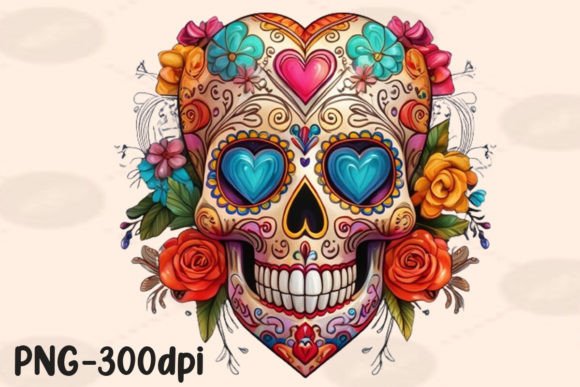
The set includes three PNG files, each sized at 4500 x 5400 pixels. That resolution gives you room to scale the artwork up for large-format prints like wall art or posters, or down for social media graphics without losing details. The transparent background eliminates the need for manual masking, which alone can save five to ten minutes per file during a busy production run. If you work with print-on-demand platforms such as Printful, Redbubble, or Society6, these files meet common size requirements out of the box. More importantly, the boho style—think flowing lines, floral motifs, and a soft color palette—aligns well with Mother’s Day messaging but also works for general home decor, apparel, and branding.
Before you even open a design tool, take a moment to audit the illustrations. Each file is independent, so you can mix and match them or use them individually. Because the pack is small, you avoid the decision fatigue that comes with browsing hundred‑file bundles. This set is purpose-built, and that focus helps you move quickly from concept to final output.
Before a Project: Preparation and Concept Planning
When you start a new project—whether it’s a line of Mother’s Day cards, a limited edition t-shirt, or an Instagram campaign—having curated assets shortens the planning phase. Place these illustrations in a mood board or a project folder alongside fonts, color swatches, and textures. Because the set has a consistent style, you can use one illustration as the anchor and then adjust brightness, hue, or overlay effects on the others to create variations. This is especially useful if you need to present multiple concepts to a client or test different product mockups. Label the files with descriptive names (e.g., “boho_flower_mum.png”, “boho_heart_1.png”) so you can locate them quickly during the design phase.
During the Project: Efficient Work with Design Tools
Open the PNG in your preferred software—Adobe Photoshop, Illustrator, Canva Pro, or Affinity Designer. Since the file already has a transparent background, you can drag it directly onto your canvas. For print-on-demand mockups, resize the image to fit the product template. At the original resolution, a single illustration can cover an entire t-shirt front or a poster at 300 dpi without any loss of sharpness. If you need to adjust the orientation, use a non‑destructive transform to flip or rotate. The transparent background also means you can layer text, graphics, or other boho elements behind or in front of the illustration without masking.
One workflow tip: create a reusable layer style or color overlay. For instance, if you want to offer your products in multiple color variants (gold, blush, sage), apply a color overlay effect to the PNG rather than editing the original file. This keeps your base asset intact and allows rapid iteration. Also, consider grouping the three illustrations into a single document if you plan to build a composite design. The consistent resolution means they will align perfectly when scaled.
After the Project: Exporting and Quality Control
Once your design is finalized, export it in the format required by your platform. The fact that the source is 300 dpi means your final exports for print will hold up. For web use, down‑sampling is straightforward. As a final quality check, zoom into the illustration details at 100% to confirm that no artefacts are introduced during editing. Because the original PNG was high‑resolution, you can even crop into the artwork and still maintain usable quality for smaller mockups. This reliability makes the set a safe choice for rush jobs where you cannot afford to re‑export multiple times.
Practical Implementation for Print-on-Demand and Online Stores
The transparent background and large canvas size are directly aimed at the print-on-demand workflow. Most POD sites require uploaded files to have at least 150–300 dpi and a certain minimum dimension. At 4500 x 5400 pixels, this set comfortably exceeds typical requirements for a variety of products:
- Art prints: The full size prints at 15 x 18 inches at 300 dpi. You can also print smaller sizes without quality loss.
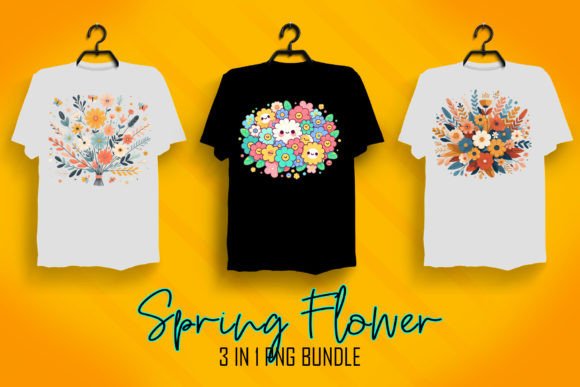
- T-shirts and apparel: Place the illustration on the chest, sleeve, or back. The transparent background ensures the design blends naturally with shirt color.
- Tote bags or pillows: Scale down the file to fit product templates. The resolution supports clean resizing.
- Phone cases and stickers: Use a tight crop of one element from the illustration for a minimalist look.
When uploading to platforms like Amazon Merch or Redbubble, pay attention to the “bleed” or “safe zone” guidelines. Because the file has a transparent background, you can leave some negative space around the design. For a cohesive product line, apply the same boho illustration across multiple products—a standard card, a t-shirt, and a tote bag—using the same palette. This creates a coordinated collection that customers recognize.
Organising Your Asset Library for Long-Term Use
This illustration set is not a one-time download. The boho trend cycles regularly, and Mother’s Day themes can be reused with small modifications for other occasions such as birthdays, anniversaries, or even generic gratitude cards. Store the files in a dedicated folder with subfolders by theme (e.g., “floral”, “heart”, “abstract”). Using a cloud-based asset manager or a simple naming convention helps you retrieve them quickly next year or when a client requests a similar aesthetic. You can also import the PNGs into digital asset management tools like Eagle, Adobe Bridge, or even a well‑tagged Google Drive folder.
For teams, set a standard file format and resolution for all shared assets. Because this set is already at 300 dpi with a transparent background, it becomes a benchmark. When creating new complementary illustrations, match these specifications to ensure seamless stacking and layering. Consistency in file properties reduces the number of edits required for each project.
Workflow Examples from Real Projects
Example 1: Freelancer creating a set of Mother’s Day greeting cards. You have three illustrations from the set. You design three different card layouts: one using a single illustration centered, one with two illustrations stacked vertically, and one with a small illustration in the corner plus a script font. You export each card in a print mockup, then offer them as a bundle. Because the illustrations share a style, the bundle feels cohesive. You saved time by not having to create custom art for each card.
Example 2: Small business owner launching a limited‑edition apparel collection. You use one illustration on a white t-shirt and another on a sage green sweatshirt. For a third product, you overlay a subtle texture on the background and place the illustration in a circle crop. The transparent background allows you to test different shirt colors quickly by dropping the PNG onto colored mockups. The high dpi ensures the details stay crisp when printed with DTG or screen printing.
Example 3: Blogger or content creator designing Pinterest pins and Instagram posts. You resize one illustration to 1000 x 1500 pixels, add a soft pastel overlay, and overlay a quote. The transparency means you can place the illustration behind text without a white box. Over the course of a week, you create eight graphics from the same three illustrations by varying colors, crop, and text placement. The resuse rate justifies the download.
Observations on Process Efficiency and Quality Control
In any creative workflow, the time spent on asset preparation directly impacts how many projects you can complete. The Free Boho Mothers Day Illustration Set removes the friction of background removal and resolution checking. You can drop these files into a design within seconds. However, always duplicate the original PNG before editing, especially if you plan to flatten layers or apply destructive filters. Keep the original untouched as your master file.
From a quality perspective, 300 dpi at 4500 x 5400 pixels is a solid standard. If you plan to print larger than 15 x 18 inches, you may need to upscale using software that preserves details—but for most POD products, this size is more than sufficient. One overlooked detail is color space. These PNGs are likely sRGB, which is ideal for web and most print services. If your print provider uses CMYK, apply a soft proof in your design tool to check how the colors shift, then adjust accordingly.
Finally, consider the emotional resonance of the design. Boho themes tend to appeal to an audience that values authenticity and handmade aesthetics. By using these illustrations, you align your products with that sentiment without having to create from scratch. This efficiency lets you focus on the rest of the product experience—packaging, product descriptions, and positioning.
Getting the Most Out of This Set Over Time
The illustrations can serve as base elements for composites, digital collages, or even pattern repeats. If you work with surface design, you can use one illustration as a focal point and add your own hand‑drawn elements around it. Because the set is free, there is no risk in experimenting. Try converting one PNG to a black‑and‑white line art version to create coloring pages or add it as a watermark on mockups. The transparent background makes these transformations easy.
For teams and agencies, assign one designer to batch‑edit the set into different color palettes to match brand guidelines. Then distribute the colour variants to the whole team. This creates a unified boho library that you can pull from for multiple clients throughout the year, not just for Mother’s Day.
By integrating the Free Boho Mothers Day Illustration Set into your standard asset collection, you reduce the friction of starting new projects, maintain consistent quality, and build a library that pays for itself in time saved. Whether you are cranking out products for a seasonal rush or building a cohesive brand identity, these files work as a reliable starting point—not a one‑off gimmick. Download them, organize them, and let them become a repeatable part of your creative process.