Mushroom Cliparts – A Practical Guide to Choosing and Using High-Quality PNG Illustrations
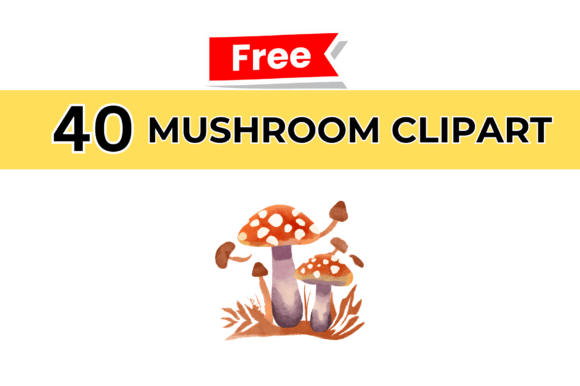
Whether you’re a seasoned graphic designer, a small business owner sprucing up your social media, a teacher creating engaging classroom materials, or a hobbyist exploring digital art, the right clipart can elevate your work without eating up your budget. Mushroom cliparts in particular offer a whimsical yet versatile visual element, perfect for nature-themed projects, children’s content, branding, or even cozy decor mockups. But not all mushroom cliparts are created equal. Many creators and buyers unknowingly make choices that compromise quality, usability, and overall satisfaction. This guide walks through common mistakes, explains what to look for, and shows how a carefully crafted set—like the one built from 40 unique, hand-crafted illustrations in PNG format at 2000x2000 resolution—can save you time, frustration, and money.
The Real Cost of Low-Resolution Cliparts
One of the most frequent oversights when downloading clipart is ignoring the resolution. It’s tempting to grab a free image that looks fine on screen, only to discover it becomes pixelated or blurry when printed or scaled up for a presentation. A mushroom with jagged edges or fuzzy details immediately undermines a polished design. Many people assume that a “good enough” file will work everywhere, but in practice, low-resolution graphics force you to limit your creative options—or worse, start over.
The solution is simple: always verify the pixel dimensions before downloading. A 2000x2000 PNG file, for example, gives you a clean canvas. This resolution is large enough for print projects such as flyers, posters, and product labels, and it retains sharpness when resized smaller. It also ensures that each mushroom illustration, with its fine lines and color gradients, maintains its intended character. When you invest in a set that offers 40 such images, you’re buying flexibility—you can crop, resize, and combine them without ever worrying about quality loss.
Overlooking Format – Why PNG Matters More Than You Think
Another common mistake is choosing the wrong file format. JPEG files are widely used, but they compress image data and can introduce artifacts, especially around edges or in areas of solid color. For cliparts with transparent backgrounds—which are essential for layering over different backgrounds—PNG is the clear winner. A PNG with transparency allows you to drop the mushroom onto any colored surface, texture, or photo without an ugly white box around it.
Unfortunately, many creators settle for “almost right” formats or don’t check if the transparency is genuine. Some files labeled as “transparent” still contain a faint outline or residual background. With a well-prepared PNG set, each illustration is isolated carefully. This means you can place a mushroom seamlessly into a digital invitation, a website header, or a classroom worksheet. If you’ve ever wasted time trying to erase a background manually, you already understand the value of a cleanly exported PNG. The 2000x2000 resolution ensures that even with transparency, the image remains crisp and professional.
Underestimating the Value of Variety and Hand-Crafted Detail
Many clipart bundles throw in dozens of generic, vector-looking mushrooms that all share the same style—flat, uninspired, and repetitive. This can lead to a uniform look that lacks personality. A set with 40 hand-crafted illustrations offers a different experience. Hand-crafted means each mushroom has its own nuance: varied cap shapes, stem textures, subtle shading, and perhaps even tiny gnome companions or woodland accents. When you have genuine variety, you can tell a story or create a cohesive theme without everything feeling like a carbon copy.
Beginners sometimes assume “more is always better,” but quality and uniqueness matter more than sheer quantity. Having 40 distinct illustrations gives you enough choice to mix and match, while still maintaining a consistent artistic voice. For a blogger, this might mean using different mushrooms across posts to keep visuals fresh yet on-brand. For an entrepreneur, it could be creating a unified product line with a signature mushroom motif. Avoid sets that promise hundreds of images but are clearly auto-generated or heavily duplicated. Instead, look for a curated selection where each piece stands on its own.
Neglecting Support and Download Reliability
When you purchase digital assets, the transaction isn’t over after the download. What happens if a file is corrupted, or you accidentally delete it from your device? Many providers offer no recourse, leaving you to hunt down replacements or repurchase. Overlooked details like instant download availability and responsive customer support can make the difference between a smooth project and a stressful scramble.
A reliable product includes clear instructions for downloading, and ideally, support that is available when you need it. “We’ll be available to help you 24/7” means you can get assistance at any stage—whether you’re struggling to unzip a folder or need advice on licensing. Always check the support policy before buying. With a set that promises round-the-clock help and instant downloadable access, you avoid downtime. You can focus on creating rather than troubleshooting.
Not Thinking Through Use Cases – How to Get the Most Out of Your Cliparts
Another oversight is failing to plan where and how the cliparts will be used. People often buy a set based on a single project, then later realize the images could serve many other purposes. Mushroom cliparts can be scaled down for icons, used as bullet points, layered into patterns, or even edited in photo software for custom effects. Because the PNG format preserves fine details, each mushroom can become a design element in a larger composition.
Suppose you’re a small business owner creating packaging for a homemade jam. A high-resolution mushroom illustration can be the centerpiece of a label, or a subtle repeating pattern on the side of a box. For a teacher, the same images can be turned into flashcards, reward stickers, or classroom decoration cutouts. By thinking ahead and choosing a versatile set, you extend its value far beyond one project. The 2000x2000 dimensions give you the freedom to experiment without scaling limits.
Practical Steps Before You Download or Use Mushroom Cliparts
- Check the resolution and format. Confirm that the files are PNG with transparency and that the pixel size meets your needs. For print, 2000x2000 is a safe minimum for crisp output. For web, you can always resize down.
- Examine the variety. Look at sample images from the set. Are there different poses, colors, or decorative elements? A set of 40 illustrations should show clear diversity in design, not just minor variations.
- Understand the license. Most commercial-use licenses allow you to use cliparts in products you sell, but it’s worth verifying. The set mentioned here is designed for personal and commercial projects, giving you broad flexibility.
- Plan your file organization. When you download the instant-access files, create a folder structure so you can easily locate specific mushrooms later. Tag or rename files if needed.
- Test with your tools. Open a few cliparts in your preferred software (Canva, Photoshop, Keynote, etc.) to ensure transparency and scale behave as expected. The PNG format should work seamlessly in nearly all design apps.
How Common Misunderstandings Affect Your Final Results
Choosing cliparts based solely on a preview thumbnail can lead to disappointment. The actual quality—especially in terms of anti-aliasing, color depth, and sharpness—only becomes apparent when you download and open the full file. Many users have been burned by “premium” bundles that turn out to be low-resolution vectors exacerbated by poor export settings. That’s why reviewing the resolution and format details ahead of time is non-negotiable. A 2000x2000 PNG set eliminates that guesswork.
Another misunderstanding is assuming all cliparts are editable. PNG files are raster images, which means you cannot edit individual shapes or lines as you would with an SVG or AI file. However, for most applications—social media graphics, digital scrapbooking, presentations—raster images are perfectly fine. They also tend to look more organic and textured, which suits the natural subject of mushrooms. If you need editable vectors, look for a separate vector set; if you need rich, ready-to-use illustrations with a designed feel, high-res PNGs are often the better choice.
Bringing Your Projects to Life with Thoughtful Application
Now that you know what to avoid and what to look for, consider how to weave mushroom cliparts into your work. A common pitfall is using cliparts as mere decorations without integrating them into the overall composition. Instead, treat each mushroom as a storytelling element. For a children’s story, place a mushroom in the corner to set a fairy-tale mood. For a natural wellness brand, use one as a logo accent or watermark. Because the set includes 40 distinct illustrations, you can create a visual language—large mushrooms for headings, small ones for bullet points, and scattered ones for backgrounds.
If you are a beginner, start with simple projects like greeting cards or social media posts. Experiment with scaling and rotating. Overlay different mushrooms to create clusters or combine them with other natural elements like leaves or vines. The PNG transparency makes layering effortless. For professionals, these cliparts can save hours of illustration time. Use them as placeholders in a draft, or combine them with other assets for a polished final product. The key is to let the artistry of the hand-crafted images shine without overcomplicating the rest of the design.
A Final Word on Making a Smart Choice
The mushroom clipart market is full of options, but not all deliver the reliability, quality, and support that busy creators need. By focusing on resolution (2000x2000), format (PNG with transparency), variety (40 hand-crafted illustrations), and after-sale support (24/7 availability), you sidestep the most common frustrations. Whether you’re a freelancer on a deadline, an educator preparing a lesson, or a small business owner building a visual identity, having a dependable asset gives you confidence. And if you ever have a question about this product, you know help is only a message away. Use that support—it’s there so you can focus on what you do best: creating.